
Run it yourself
One command, local SuiteCRM 8 with the OpenClaw agent skill pre-wired and three worked examples ready to run:
git clone https://github.com/Aakeeo/suitecrm-openclaw
cd suitecrm-openclaw
cp .env.example .env
docker compose up -d
SuiteCRM lands at http://localhost:8080. Or skip the build and pull the prebuilt images direct from GHCR:
docker pull ghcr.io/aakeeo/suitecrm-app:0.1.0
docker pull ghcr.io/aakeeo/openclaw-suitecrm-agent:0.1.0
Full repo, README, and release notes: github.com/Aakeeo/suitecrm-openclaw. MIT-licensed, v0.1.0 shipped April 2026. Everything below is the architecture and the reasoning behind what you just booted.
Most AI agent demos are impressive and terrifying in equal measure. The agent reads your inbox, rearranges your calendar, and accesses files across your system. In a personal context that's convenient. In a business handling customer financial data, patient records, or sales pipelines — it's a compliance nightmare.
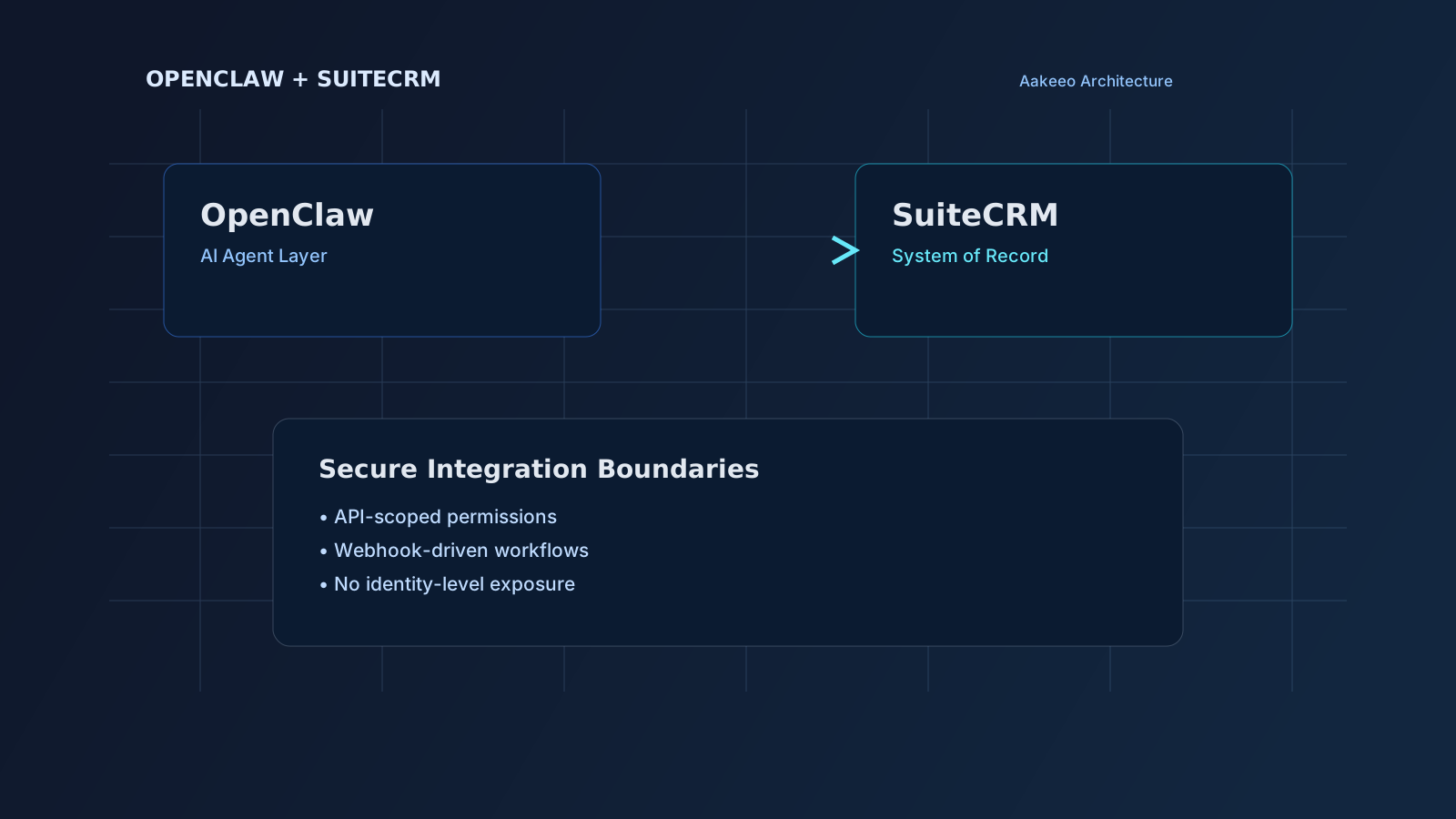
We took a different approach. Instead of giving an AI agent broad access to personal systems, we integrated OpenClaw directly with SuiteCRM — keeping automation inside the business boundary, with explicit permissions, minimal surface area, and zero identity-level access.
This post is the full architecture breakdown. If you're evaluating AI agents for your CRM, this is the security-first approach we recommend to every client.
Looking to add AI to your SuiteCRM? We build secure AI automation — lead scoring, auto follow-ups, and intelligent workflows on your infrastructure. Explore AI automation services →
Why integrate with SuiteCRM (and not Salesforce or HubSpot)
SuiteCRM is a structured, self-hosted business system. It already contains:
- Leads, Contacts, Accounts
- Opportunities, Tasks, Cases
- Activities — calls, meetings, notes
Defined workflows. A clean API. Instead of giving OpenClaw access to personal systems, we integrated it directly with SuiteCRM, keeping automation inside the business boundary.
The principle: agents should automate systems, not own identities.
Architecture overview: OpenClaw + SuiteCRM on a VPS
The integration runs entirely self-hosted.
Infrastructure
- VPS-hosted SuiteCRM (system of record)
- VPS-hosted OpenClaw gateway
- Custom SuiteCRM skill
- Webhook integration between SuiteCRM and OpenClaw
- No third-party marketplace skills
- No personal inbox or calendar access
Design goals
- Clear API boundary
- Minimal permission scope
- Controlled automation surface
- No identity-level agent access
- Event-driven communication
The CRM remains authoritative. OpenClaw becomes an intelligent interface layer.
How the integration works
1. Custom SuiteCRM skill
While a default SuiteCRM skill exists, we built a minimal custom skill for better control. It handles: list contacts, create contact, fetch account details, controlled CRUD, explicit API calls to SuiteCRM v8 JSON API. Each action is clearly defined. Smaller surface = stronger security.
2. SuiteCRM API access
- SuiteCRM v8 REST API
- OAuth2 authentication
- Token refresh handling
- Strict endpoint scoping
OpenClaw only talks to SuiteCRM's API — not the database directly, not unrelated services. Upgrade-safe and maintainable.
3. Webhook integration
We also connected SuiteCRM events to the OpenClaw gateway using webhooks — the same event-driven integration pattern we use across all CRM projects. Enables: new-lead notification, case-update action, opportunity-stage triggered workflow. Instead of polling, the system is event-driven.
What the demo shows
- List contacts from SuiteCRM via OpenClaw
- Create a new contact using conversational input
- Execute CRM actions without UI interaction
- Maintain SuiteCRM as the system of record
The CRM doesn't disappear. The interface does.
Why we avoided identity-level access
Many OpenClaw demos focus on personal automation: inbox reading, calendar scheduling, file access, personal system control. In a business context, AI agents should operate within structured systems, defined workflows, explicit permissions and measurable automation zones — not personal identity layers.
This separation creates:
- Better security
- Cleaner audit trails
- Clear responsibility boundaries
- Reduced compliance exposure
- Predictable behaviour
Security considerations
- Self-host OpenClaw
- Disable marketplace skill installation
- Load only local custom skills
- Restrict OpenClaw network access
- Use API-level authentication only
- Protect webhook endpoints with tokens
- Avoid granting file-system or personal-system access
Agents are powerful. But architecture determines whether that power is stable or chaotic.
Skills to build first
- Read-only contact and account lookup skill
- Controlled create/update contact skill with field validation
- Lead triage skill triggered from webhook events
- Case summary skill that writes back structured notes
This phased approach keeps the integration secure while still delivering visible operational gains.
The broader shift: conversational CRM
This integration isn't about adding AI features to CRM. It's about converting intent into structured CRM actions, reducing UI dependency, keeping automation within business boundaries, preserving system integrity.
The future of CRM is not more dashboards. It is structured systems responding to intent.
Final thought
OpenClaw + SuiteCRM works best when: the CRM stays the system of record, the agent stays scoped, permissions stay minimal, identity stays protected.
AI should sit between intent and execution — not between you and your identity.
Want this architecture for your CRM? We've built secure AI integrations across healthcare, finance and logistics. Book a free CRM audit and we'll map what's possible for your setup.